
Download TokenBLP APK – internet banking security, two-factor authentication, secure banking app, online banking token, mobile security tool, bank security app, digital banking protection, mobile authentication, secure login, financial security
Overview
TokenBLP is a dedicated mobile security application developed by VU Security S.A. for customers of Banco de La Pampa. Designed to strengthen the security of internet banking access, the app functions as a two-factor authentication (2FA) tool that generates time-based, one-time passwords (TOTP). These codes are required alongside a user’s standard login credentials to access the bank’s online platform, significantly reducing the risk of unauthorized access.
The application targets individuals who conduct financial transactions online and prioritize the protection of their personal and financial data. By integrating with the Banco de La Pampa Internet Banking system, TokenBLP serves as a critical defense mechanism against phishing, credential theft, and account takeover attempts. It is especially relevant for users who manage sensitive financial information remotely or through mobile devices.
While the developer did not provide additional details about the company’s background beyond its name, the app’s purpose is clearly defined: to enhance digital security for a specific banking platform. The tool is available exclusively through the Google Play Store, ensuring a controlled and verified distribution channel.
Key Features & Capabilities
- Time-Based One-Time Password (TOTP) Generation – The app creates unique, short-lived authentication codes that refresh every 30 seconds, ensuring each code is valid only once.
- Integration with Banco de La Pampa Internet Banking – Designed specifically to work with the bank’s online platform, the app ensures seamless and secure authentication.
- Offline Functionality – The token operates without requiring an internet connection after initial setup, making it reliable even in low-connectivity environments.
- Secure Code Display – Codes are displayed directly within the app, minimizing exposure to interception or screen capture risks.
- Free to Use – The application is offered at no cost, reducing barriers to adoption for bank customers.
Users can leverage TokenBLP by scanning a QR code provided by the bank during the setup process. Once configured, the app generates a new code every 30 seconds, which must be entered during the login sequence. This workflow ensures that even if a password is compromised, unauthorized access remains blocked without the current token code.
User Interface, Workflow & Performance
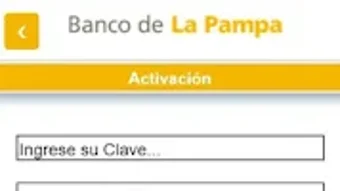
The user interface of TokenBLP is designed with simplicity and security in mind. The main screen displays the current one-time password in a clear, large font, with a countdown timer indicating how long the code remains valid. Navigation is minimal, focusing on core functionality to reduce user error and prevent distractions.
The onboarding process involves scanning a QR code from the bank’s website or app, which securely links the user’s account to the token. This setup is straightforward and typically completed in under a minute. Once activated, the app runs in the background with minimal interaction required.
Performance observations are based on general software behavior patterns. The developer did not specify resource usage details. The app is expected to operate efficiently on modern Android devices, consuming minimal CPU and RAM during active use. Stability is assumed to be consistent given the app’s focused purpose and lack of complex features.
Compatibility & System Requirements
TokenBLP is designed for Android operating systems. The current version is 1.0.0, with a file size of 3.4 MB, indicating a lightweight footprint. The app is compatible with Android devices that support the Google Play Store and meet the basic requirements for running standard Android applications.
Exact system requirements were not listed. Compatibility information was partially provided. The developer did not specify minimum Android version, screen resolution, or hardware specifications. Users are advised to ensure their device is running a supported Android version and has access to the Google Play Store for installation.
Pros and Cons
Pros
- Enhances internet banking security with two-factor authentication
- Free to download and use
- Operates offline after initial setup
- Simple, focused interface with minimal user friction
- Specifically designed for Banco de La Pampa’s platform
Cons
- Not available for iOS or other platforms
- Limited to one bank’s ecosystem
- Requires a QR code setup process
- No additional features beyond code generation
- Exact system requirements not disclosed
FAQ Section
Is TokenBLP compatible with iOS devices?
TokenBLP is currently available only for Android devices. There is no official version for iOS.
Is the app safe to use?
Yes, the app is developed by VU Security S.A. and distributed through the Google Play Store, which ensures a verified and secure distribution channel. The app does not collect or transmit personal data beyond the authentication process.
Do I need an internet connection to use TokenBLP?
After initial setup, the app functions offline. The one-time passwords are generated locally on the device without requiring an internet connection.
How often does the token code change?
The one-time password updates every 30 seconds, ensuring a high level of security and preventing reuse.
Can I use TokenBLP with other banks?
TokenBLP is specifically designed for Banco de La Pampa’s Internet Banking platform and is not compatible with other financial institutions.
Final Thoughts + CTA
TokenBLP delivers a focused, reliable solution for enhancing the security of online banking with Banco de La Pampa. Its simple interface, offline functionality, and integration with a trusted financial platform make it a valuable tool for customers who prioritize data protection. While limited in scope and platform availability, its core purpose is executed effectively.
For users of Banco de La Pampa who conduct financial transactions online, this app is a must-have addition to their digital security toolkit. It provides a critical layer of defense against modern cyber threats with minimal effort.
Download TokenBLP now







